Ethertext: Your AI Clipboard
Copy. Transform. Paste.
Enhance your productivity with advanced AI-driven text editing.
Download for Free
Why Ethertext?
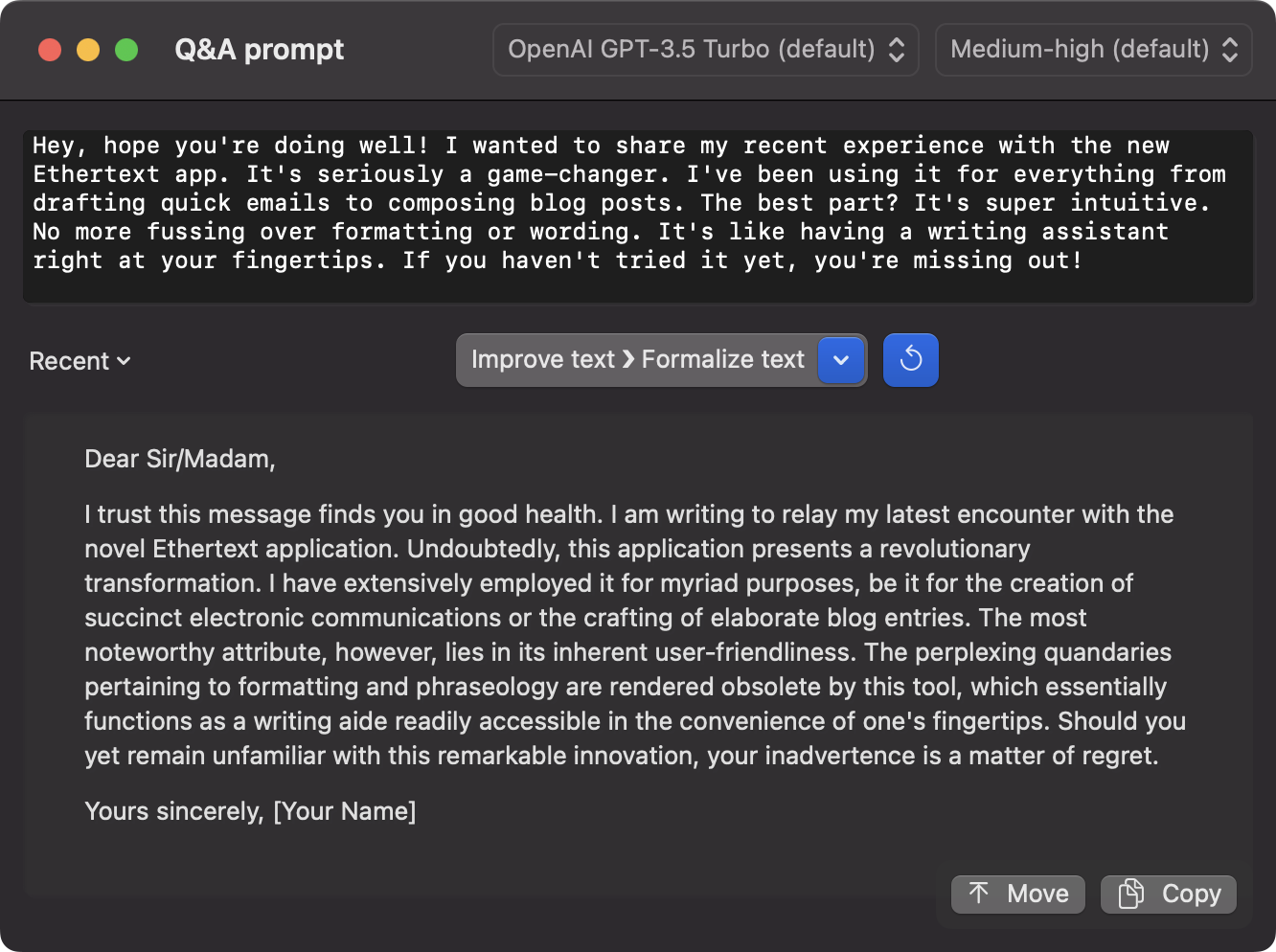
One-Click Wonders
One click and your text transforms from good to great.
Customize Your Way
Choose the tone and style that fits your needs. Make your text yours.
Code Like a Pro
Explain, debug, or translate code snippets with laser precision.
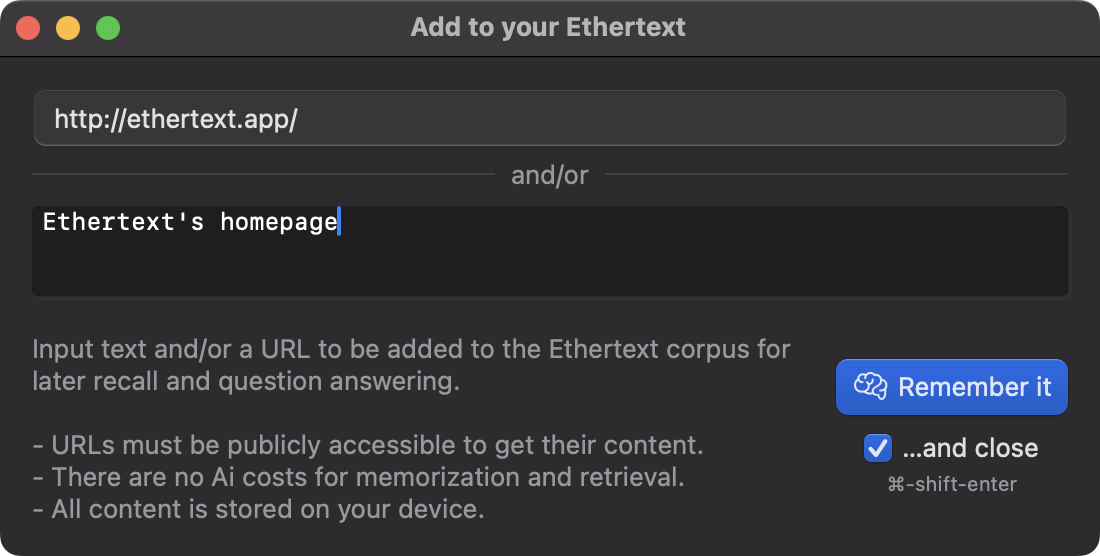
Memorize and Recall
Let Ethertext memorize your text for later recall.
Using Ethertext is simple
1. ⌘C: Copy
Copy your source text to your clipboard with ⌘C.
2. Click: Transform
Pick a transform from the dropdown from any of the Ethertext options.
3. ⌘V: Paste
After the beep, paste your text with ⌘V.
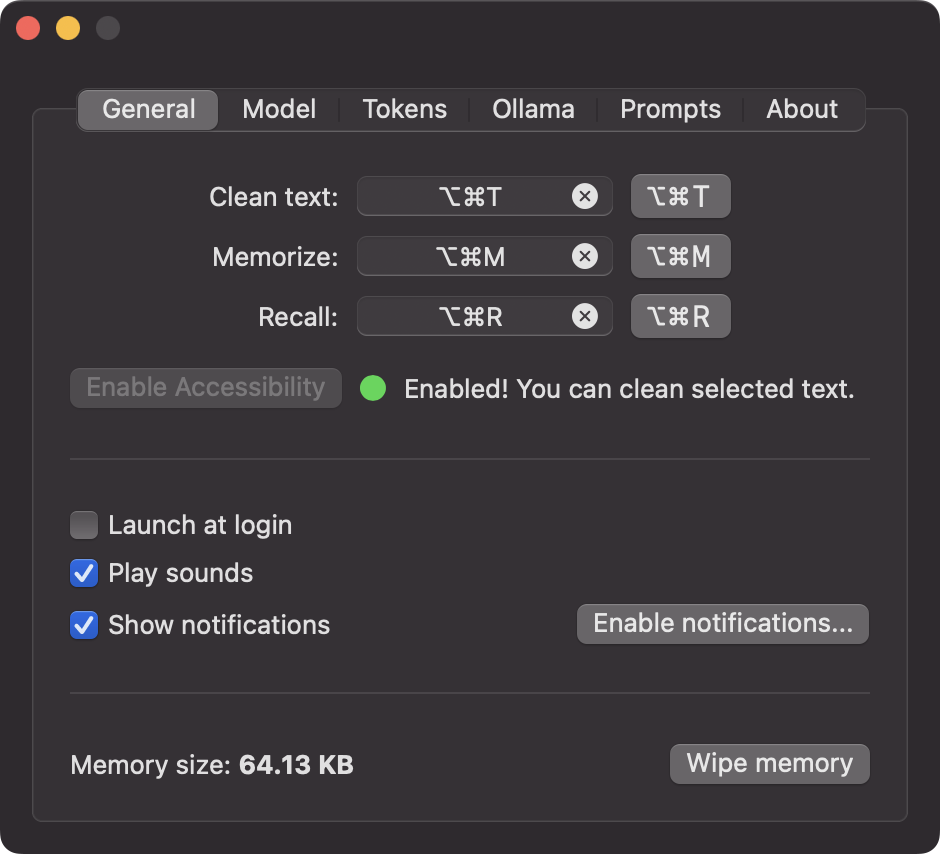
⌘⇧T: Clean text
Or, fix your selected text in one-shot with ⌘-shift-T.
⌘⇧M: Memorize
Memorize text or webpages with ⌘-shift-M.
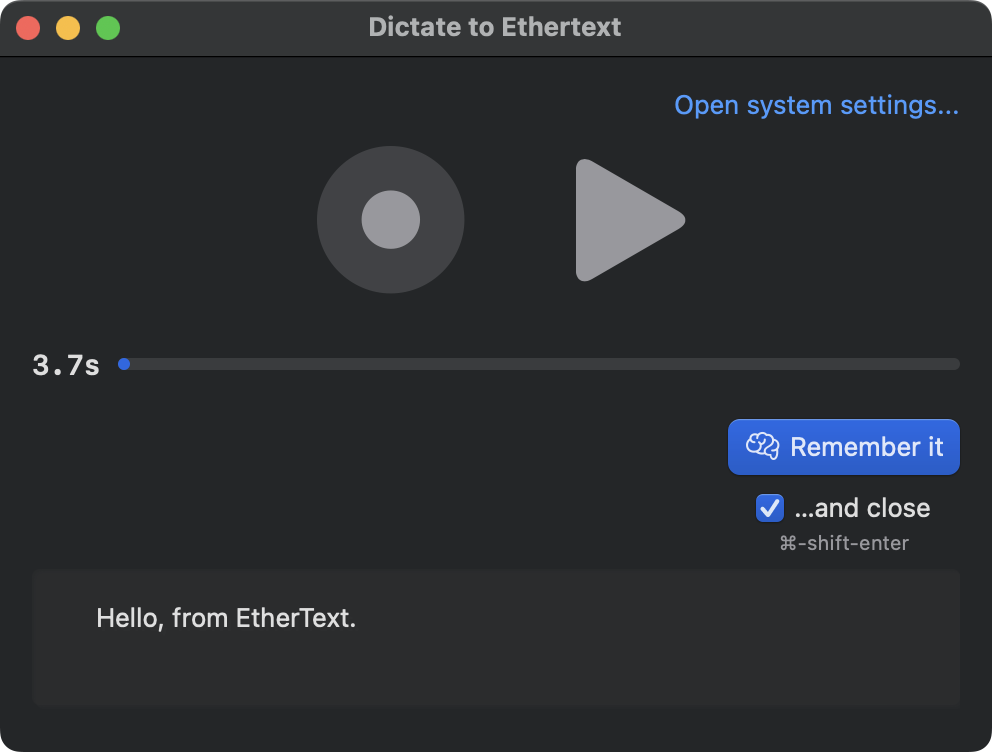
⌘⇧D: Dictate
Record, transcribe and memorize your voice with
⌘-shift-D.
⌘⇧S: Capture screen
Take a screenshot and memorize the text on the screen with
⌘-shift-S.
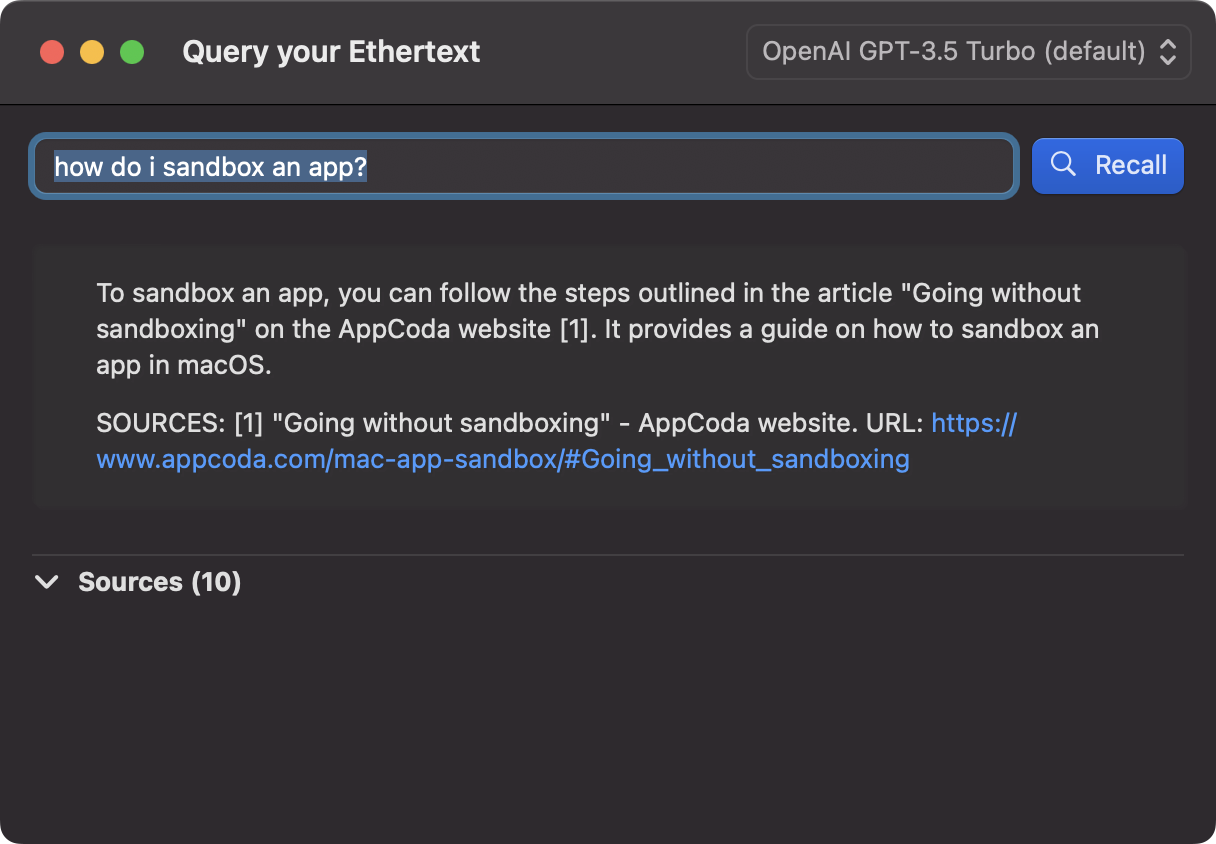
⌘⇧R: Recall
Recall your past text with ⌘-shift-R and ask.
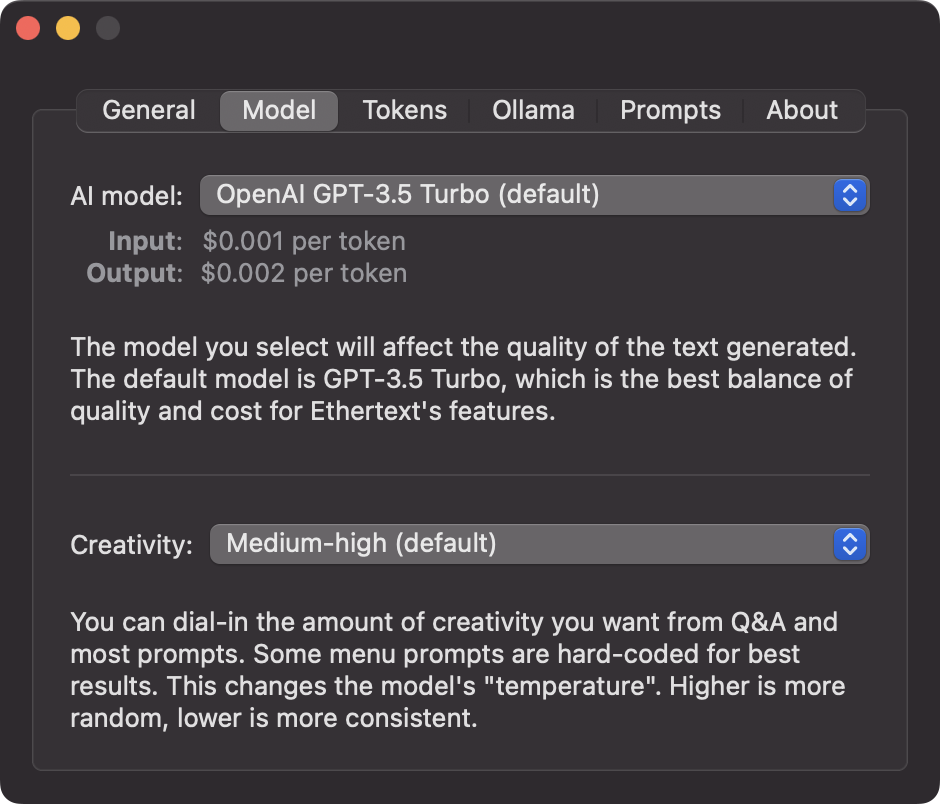
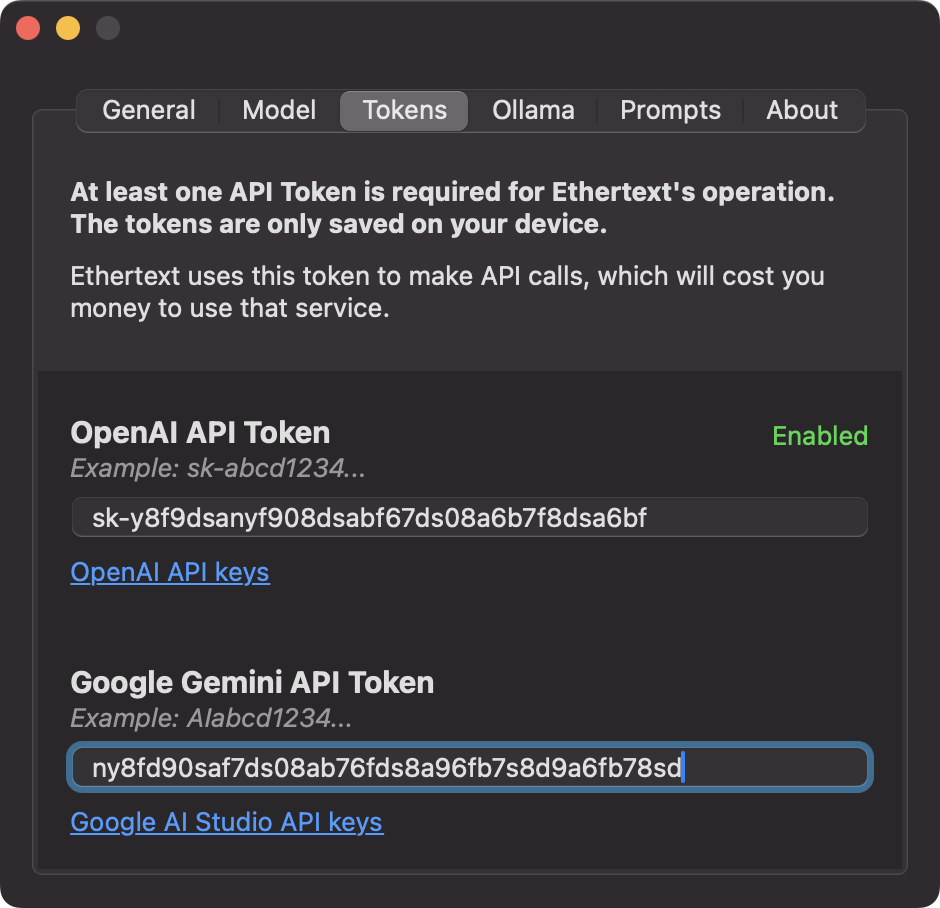
Add your OpenAI, Google Gemini, or Anthropic key
In Settings, add your keys from:
- OpenAI at https://platform.openai.com/account/api-keys
- Google Gemini at https://makersuite.google.com/app/apikey
- Anthropic at https://console.anthropic.com/settings/keys
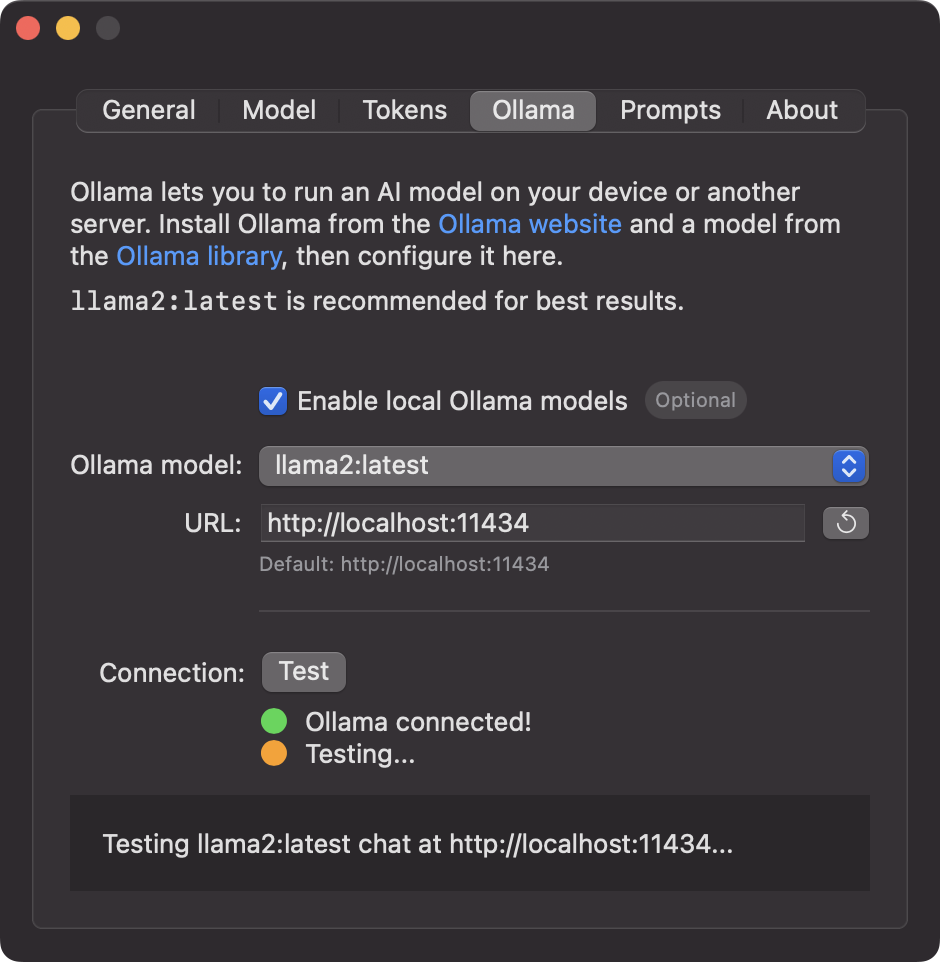
Ollama support for local AI
Install Ollama and download some
AI models, then enable
Ollama support in Settings and pick your favorite. It's super quick
with brew install ollama; ollama pull llama2 to get
started if you're using Homebrew.
Ready to Elevate Your Clipboard?
Download Ethertext today and start transforming your text!
Install with Homebrew:
brew install thrashr888/ethertext/ethertext
Or download directly:
Download Ethertext for macOS 14+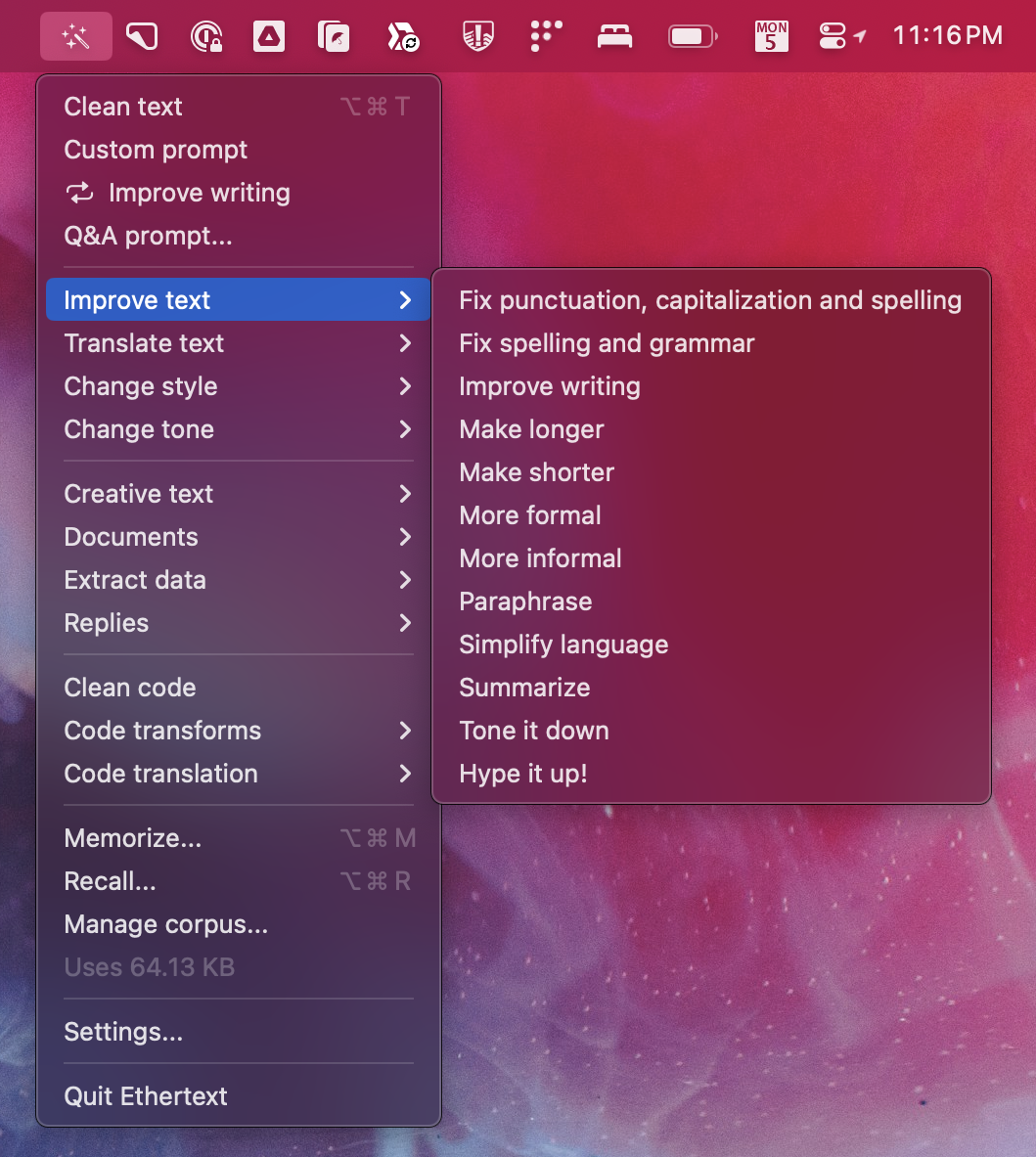
Contact Us
Got questions? Reach out at paul@thrasher.dev
Changelog
1.15 Auto Updates (1/7/26)
Added automatic updates using Sparkle framework. Ethertext will now check for updates and prompt you to install them. Also includes Swift 6 upgrade with strict concurrency and bug fixes.
1.14 MLX On-Device (1/7/26)
Added MLX on-device AI models using Apple Silicon. Run chat and embedding models entirely on your Mac with no API keys required. Models download from HuggingFace and run locally for privacy.
1.13 Homebrew (1/1/26)
Added Homebrew cask support: brew install thrashr888/ethertext/ethertext.
Updated release process to use DMG installer instead of zip file.
1.12 Modernized (12/28/25)
Major codebase modernization for macOS 14+. Updated to latest models from OpenAI (GPT-5.2), Google (Gemini 3), and Anthropic (Claude 4.5). Added support for Gemini audio transcription and multi-monitor screenshots. Improved accessibility labels and fixed various UI bugs including Recall text beeps.
1.11 So Many Models (4/1/25)
Updated to support the latest models from OpenAI, Google, and
Anthropic. Ditched gpt-3.5-turbo as it's being
deprecated. Enjoy!
1.10 Quick and Mini (7/18/24)
Added OpenAI model: GPT 4o mini, which is the new default. Bug fixes and performance improvements.
1.9 The Next Top Models (6/22/24)
Added Anthropic Claude models: Opus, Sonnet, Claude. Added OpenAI model: GPT 4o. Added and updated Google Gemini models: 1.5 Pro, 1.5 Flash, 1.0 Pro. Added speaking style: "Talk like Gen Z."
1.8 Look at Me Now! (2/19/24)
Added Vision: take a screenshot and Ethertext will transcribe and remember, using Apple's local Vision model. Added Apple Audio model: using Apple's local Audio model is fast and free.
1.7 Talk to Me! (2/18/24)
Added Dictation: record your voice and Ethertext will transcribe and
remember. Added embedding models: recall is vastly improved using
OpenAI or Ollama for embeddings. Updated to latest OpenAI model
versions (gpt-4-32k, gpt-4-0125-preview, gpt-3.5-turbo-0125). Prompts: "Improve text" grammar transforms optimized.
1.6 Creativity & Recency (1/30/24)
Added creativity (LLM temperature) setting. Added recent Q&A list. Added shortcut menu hints.
1.5 Shortcuts & Local Ollama (1/28/24)
Added Keyboard Shortcuts: you can now use commmand-shift-t to clean
selected text in any app, or for quick-open memorize and recall.
Added Ollama support: use a local model like llama2, Falcon, or
Mixtral to transform text. Added latest GPT4 turbo model
(gpt-4-turbo-preview) from Jan 25. New prompts: make
efficient code, translate code to Javascript, and more/less formal
text.
1.4 Memory (1/4/24)
Added Memory: you can now have Ethertext memorize and recall text for you. Added support for Google Gemini. Updated app icon to be rounded. New prompts: ELI4, add hype, and tone down.
1.3 Q&A (11/18/23)
Added Q&A: you can now edit your input to the prompts. Added Start at Login. Combined settings page includes version-checking about page.
1.2 Model Switching (11/6/23)
Added support for switching models to GPT4 Turbo Preview (released today), GPT4, GPT3.5 Turbo (new default), or DaVinci 003.
1.1 First Feedback (11/5/23)
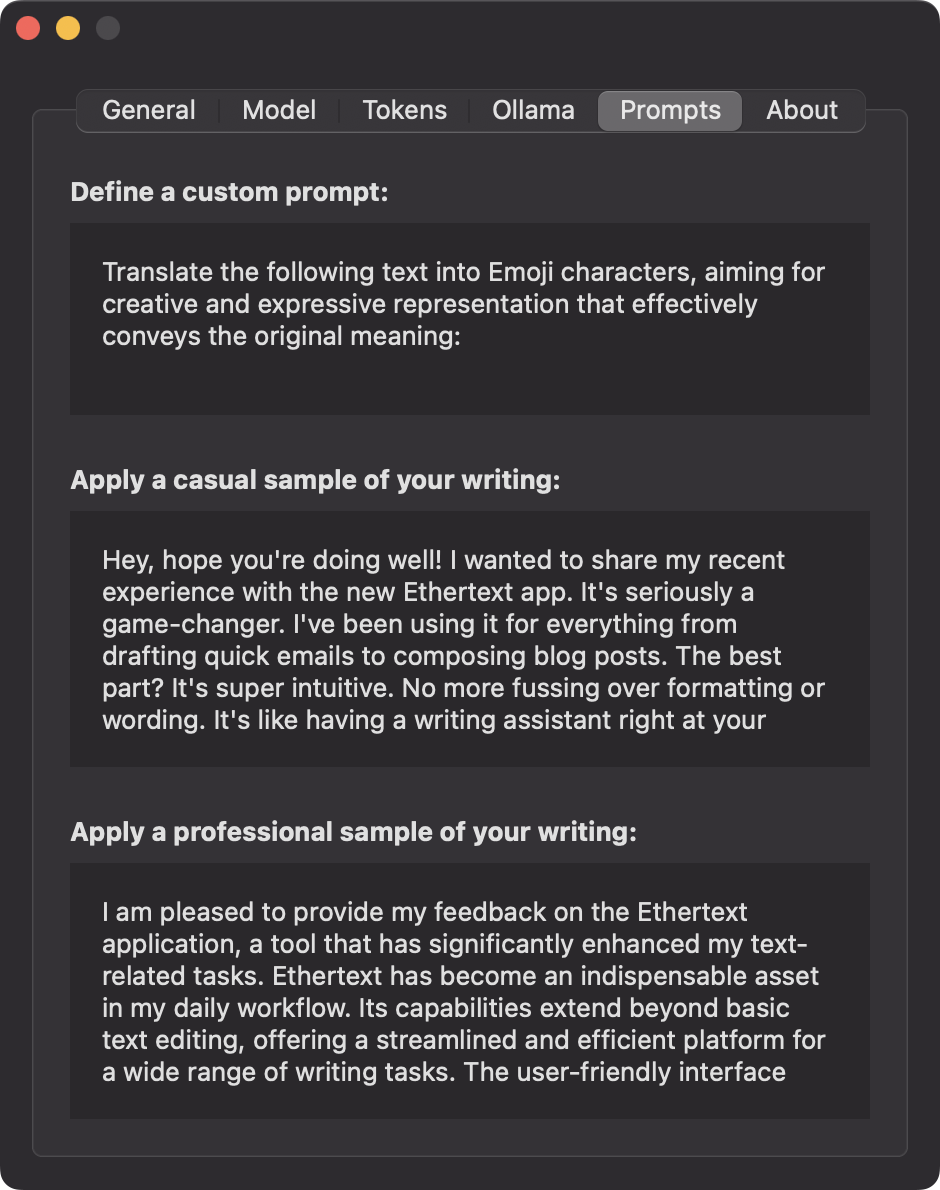
Added custom prompt to settings. Made updating the API key not require a restart.
1.0 Initial release (10/29/23)